







Game Library Manager for Windows

All your games.
One place.

Nexus unifies your Steam, Epic, GOG, and Battle.net libraries — plus repacks and standalone games — into a single, beautifully designed launcher. Track play time, organise collections, and launch any game — instantly.

Windows 10 / 11 ~10 MB install
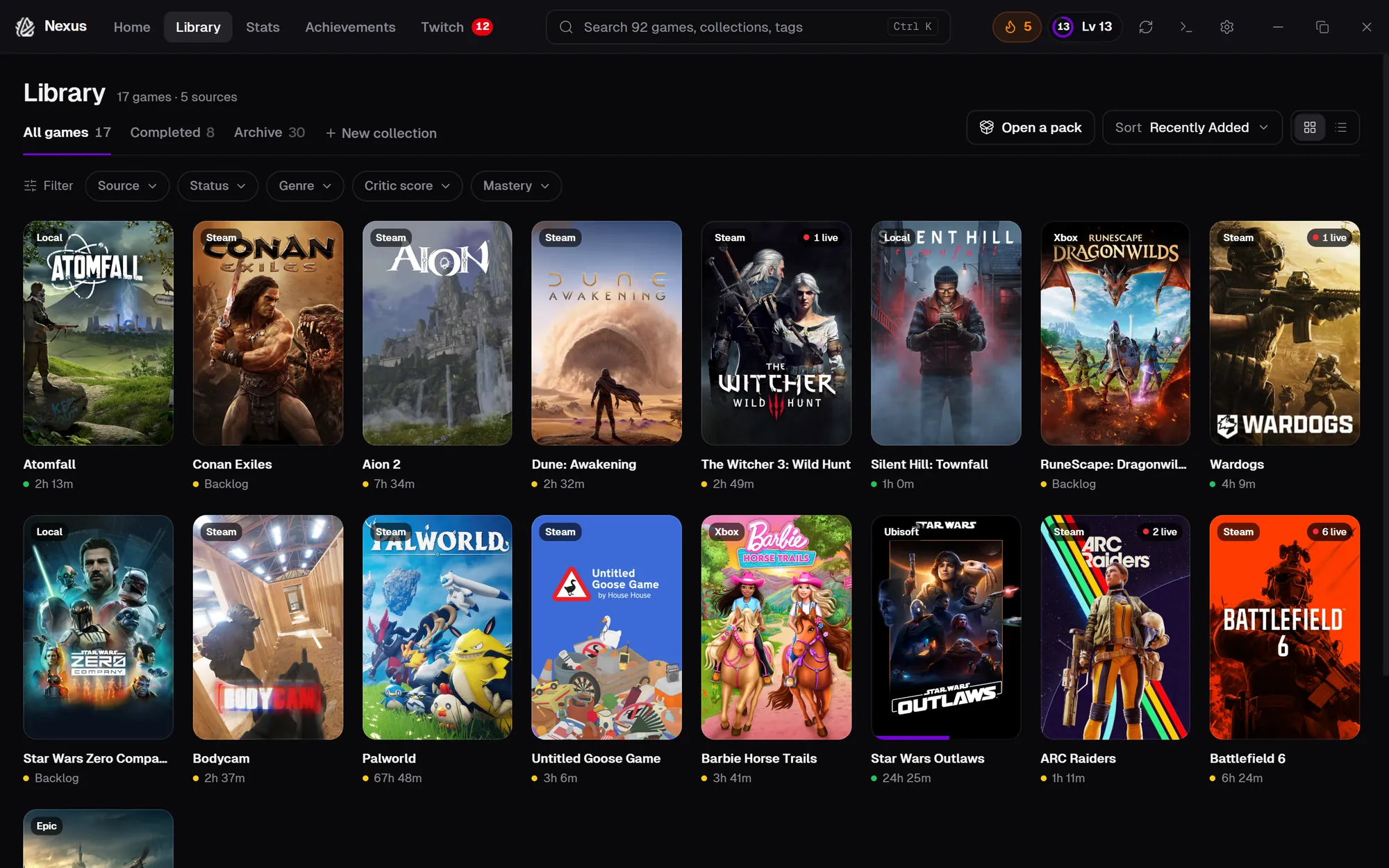
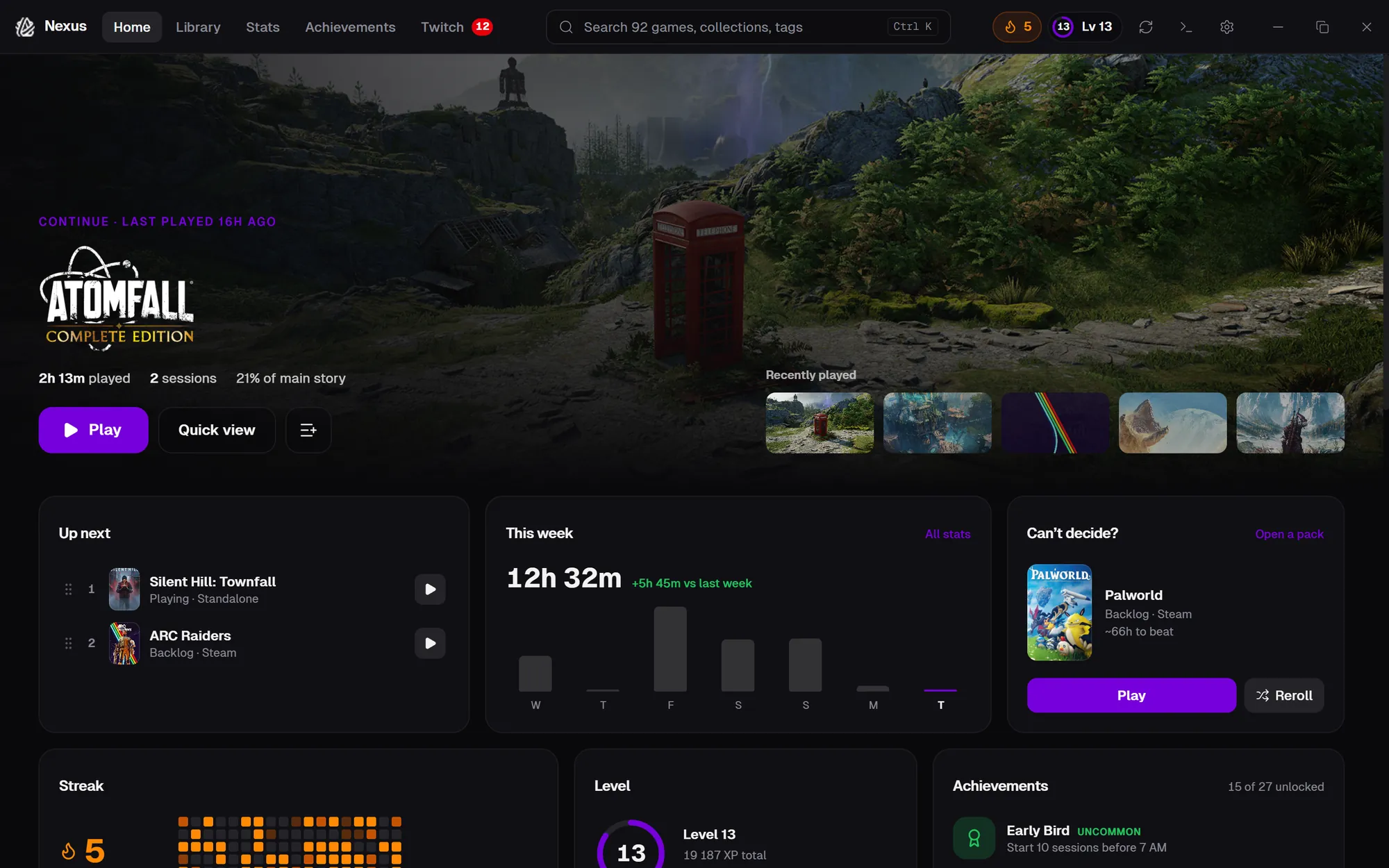
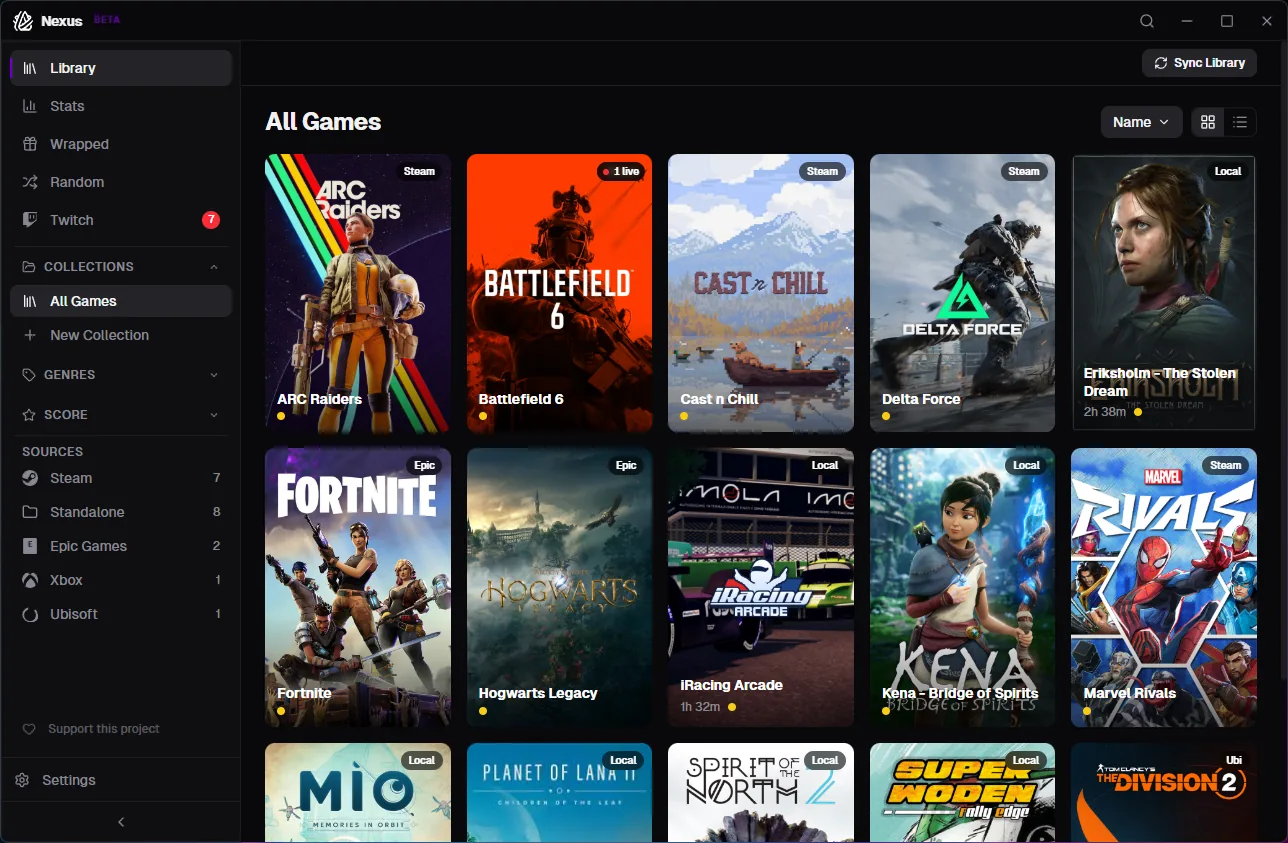
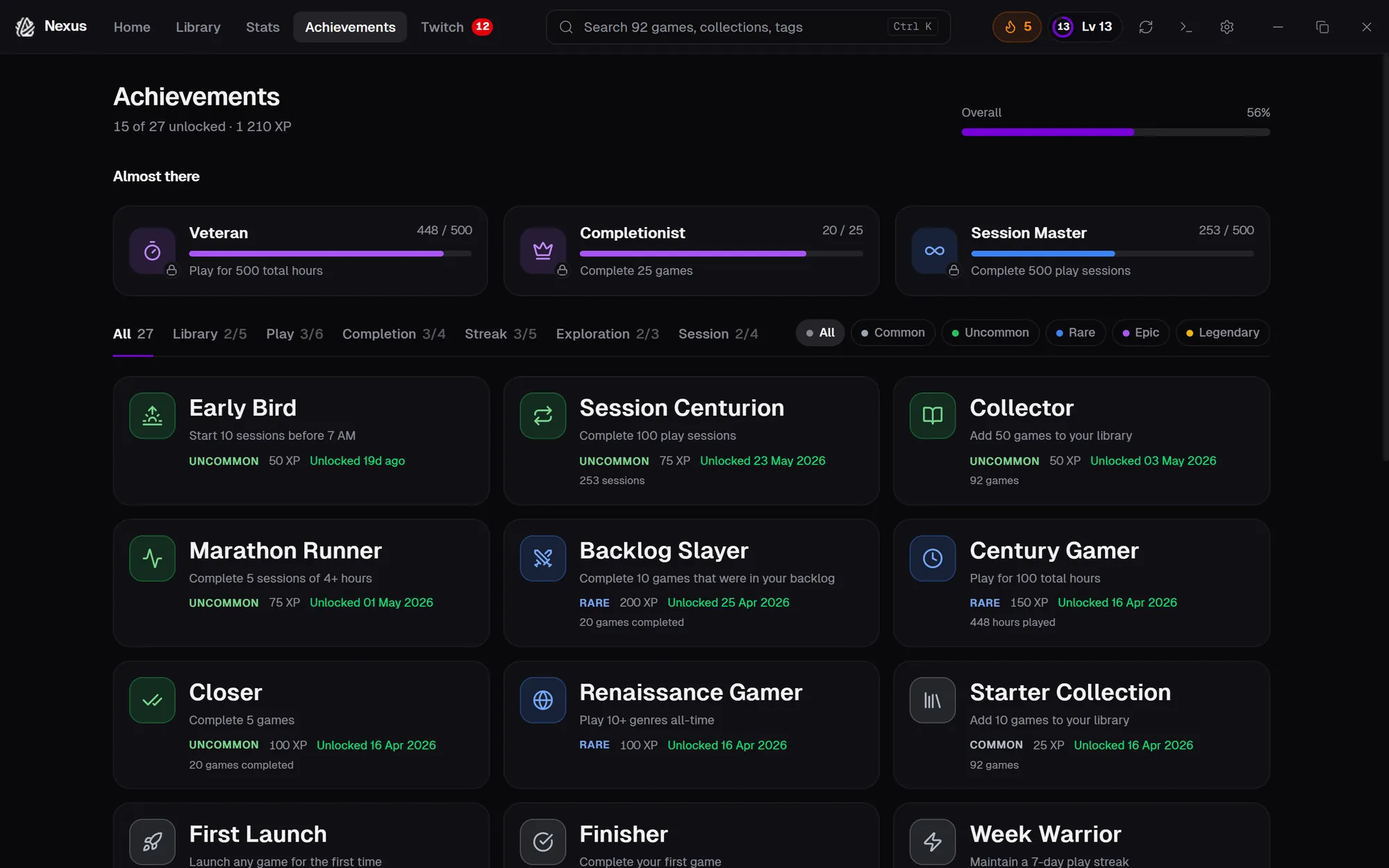
Nexus application — unified game library showing titles from Steam, Epic, and local sources

Connects to your favourite storefronts

Everything you need to manage your library

Built for gamers who own titles across multiple stores and want a single, fast, beautiful hub.

Library Management

Unified Library Import from Steam, Epic, GOG, Battle.net, and Amazon Games automatically — plus repacks and standalone titles.
Rich Metadata Cover art, descriptions, genres, and ratings pulled from IGDB. Your library looks stunning by default.
Instant Launch Click a game, it launches. Nexus handles the right storefront silently in the background.
Ratings & Reviews Rate your games, see critic scores, and track your personal opinions across the library.
Personal Game Notes Jot down tips, strategies, or thoughts on any game. Fully searchable across your library.
Custom Tags Create your own tags and label games however you like — co-op, short, relaxing, anything.

Tracking & Stats

Play Time Tracking Accurate session tracking across every source with daily, weekly, and all-time stats.
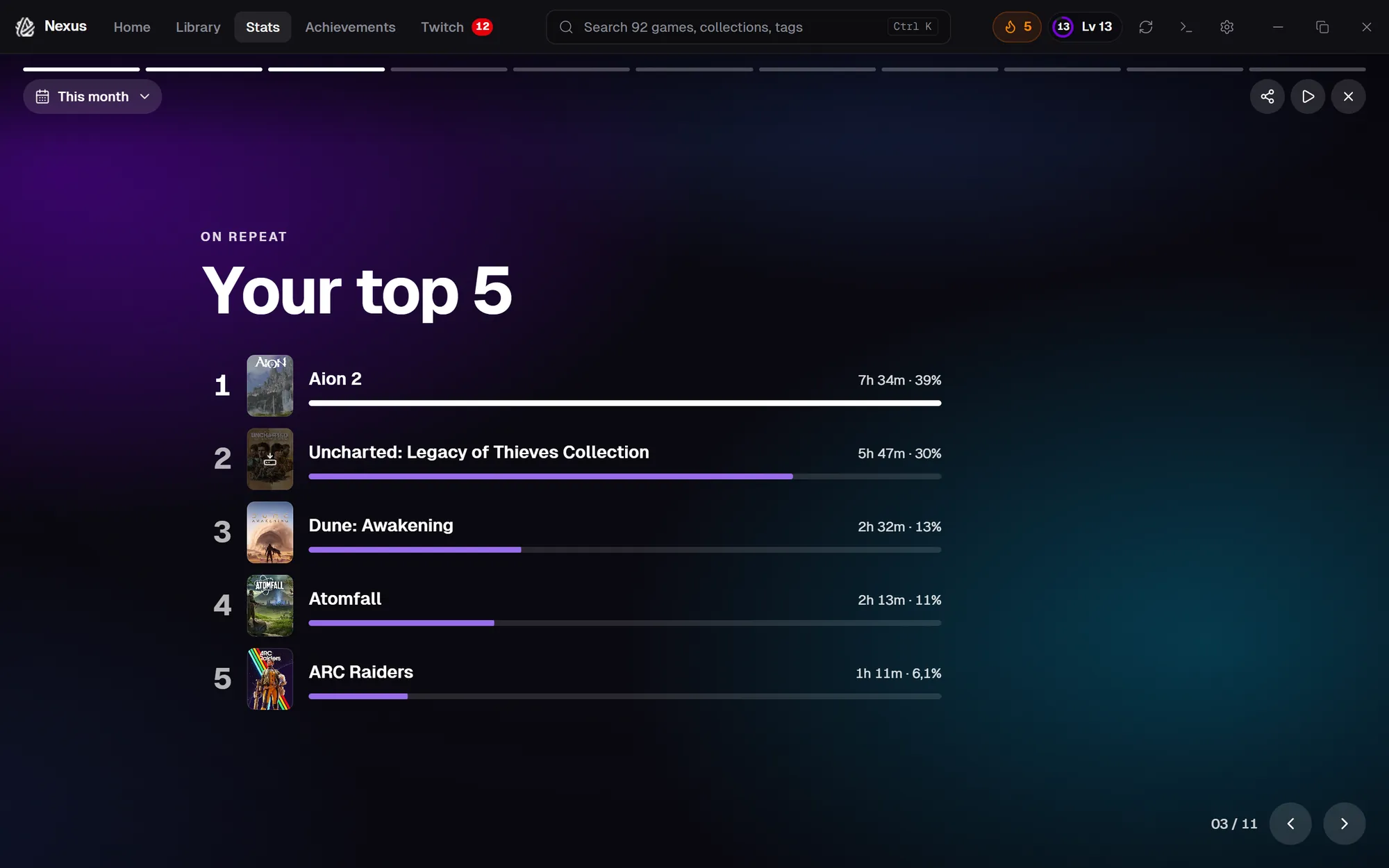
Session Analytics Charts, heatmaps, and breakdowns of your play habits over any time range.
Progress Tracking Set completion percentage and milestones for each game. See progress bars right on your game cards.
Session Play Log Add notes to individual play sessions — track what you did, where you left off, or what to do next.
Library Wrapped A personalised year-in-review of your gaming habits — top games, total hours, streaks, and more.

Organisation

Collections Organise games into custom collections. Drag to reorder, pick an emoji icon, and keep things tidy.
Smart Collections Auto-updating collections powered by rules — filter by status, genre, play time, tags, and more.
Search, Filters & Sort Find any game instantly. Filter by status, genre, source, or play time. Sort by name, hours, or date added.
Play Next Queue Build an ordered queue of what to play next. Never stare at your library wondering what to launch.
Recently Played Jump back into your latest sessions with a dedicated recently played section.
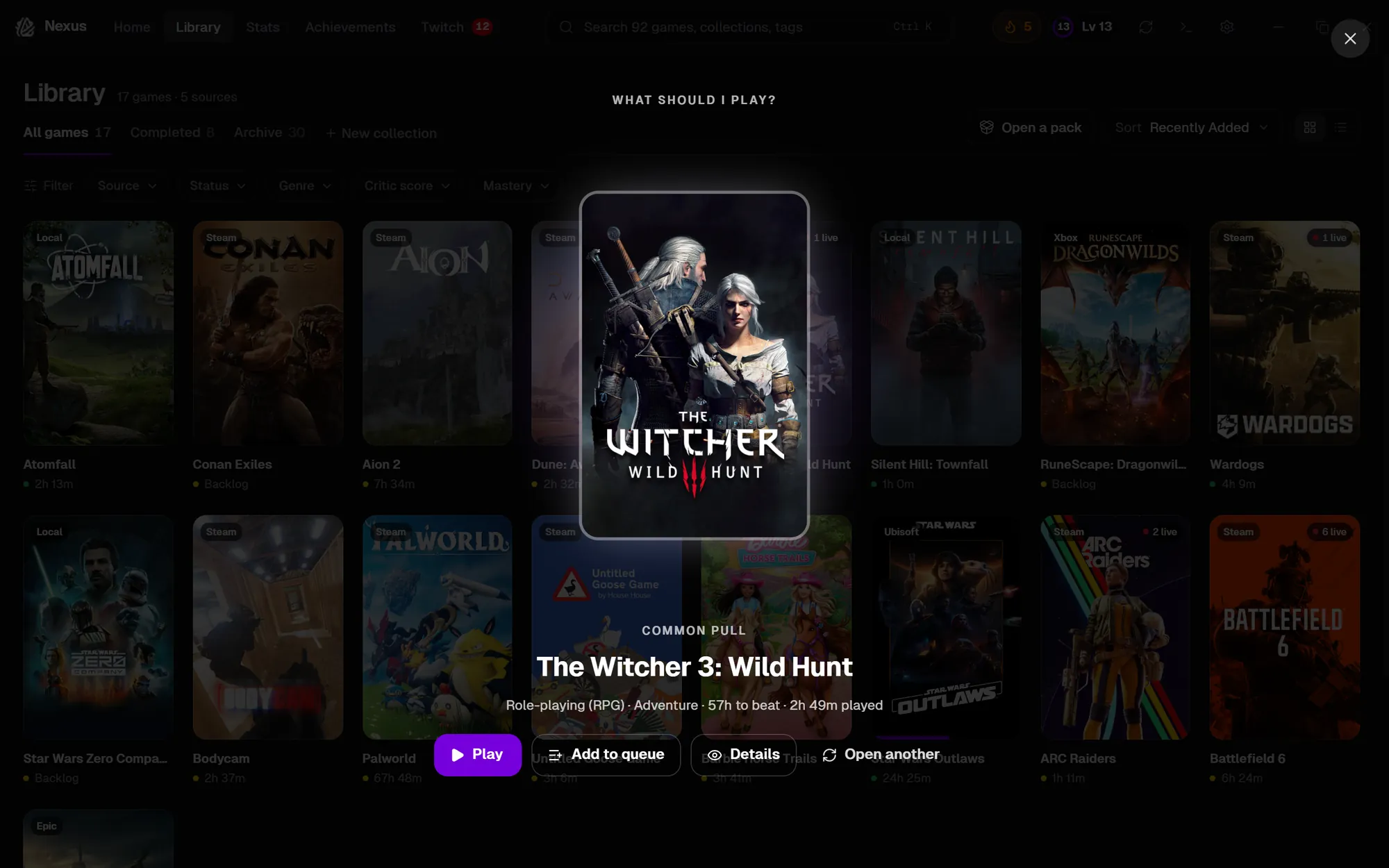
Random Game Picker Can't decide? Let Nexus pick a random game from your library — with optional filters.

Integrations

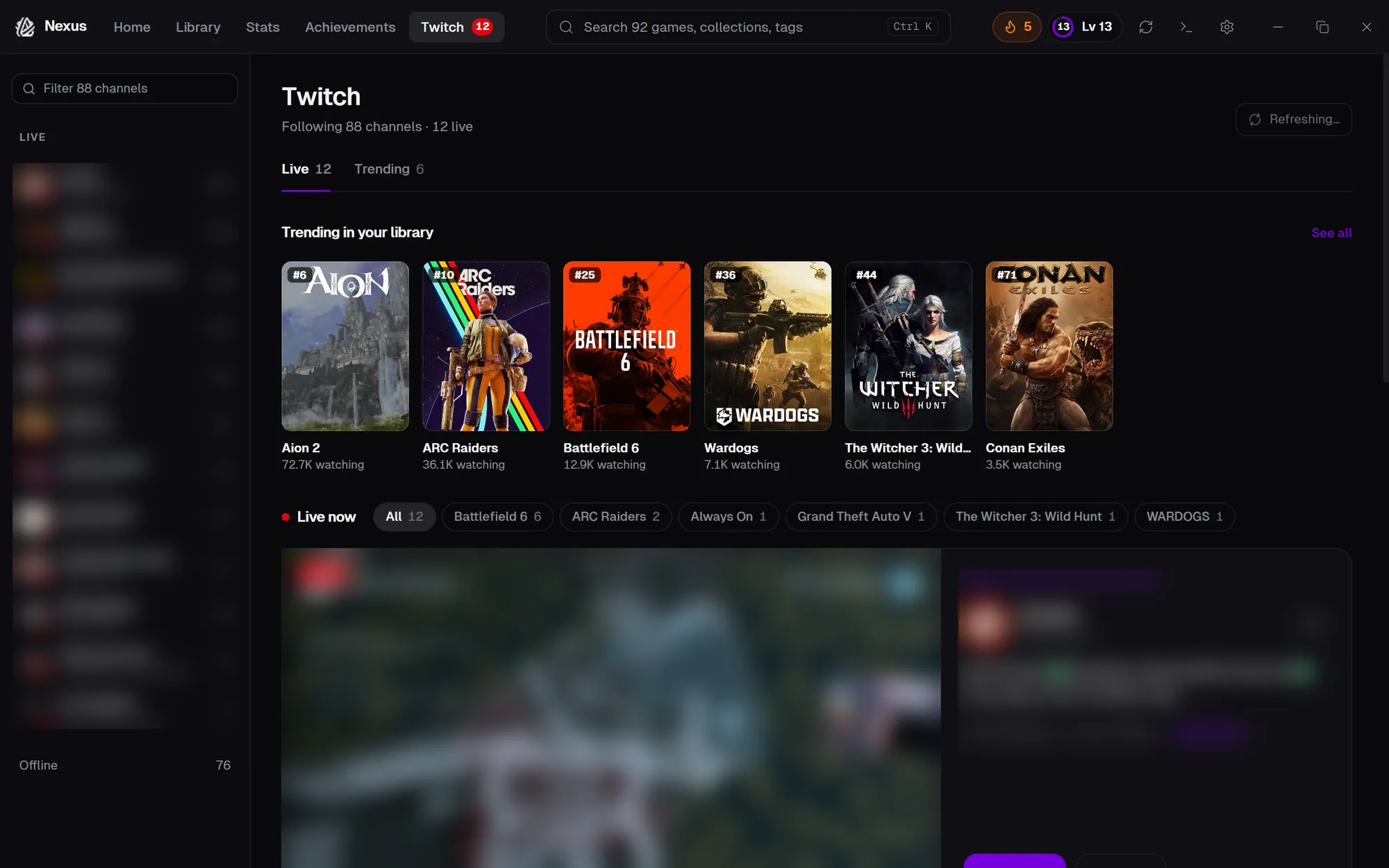
Twitch Integration See live streams, trending games, active drops, and followed channels — right inside Nexus.
SteamGridDB Swap cover art, icons, and hero images from the SteamGridDB community library.
IGDB Metadata Genres, descriptions, release dates, and critic ratings sourced from IGDB automatically.
HowLongToBeat See how long a game takes to beat and track estimated time remaining based on your progress.
Google Drive Backup Back up your entire library to Google Drive — manually or on a daily/weekly schedule. Restore from any backup with one click.

Experience

Lightweight & Fast Built with Tauri and Rust. Under 10 MB installed, minimal RAM usage, native Windows performance.
Local-First, Cloud Optional No account required. All data stays on your machine by default. Optionally back up to Google Drive for peace of mind.
System Tray Minimise to tray and keep Nexus running quietly in the background. Launch games from the tray icon.
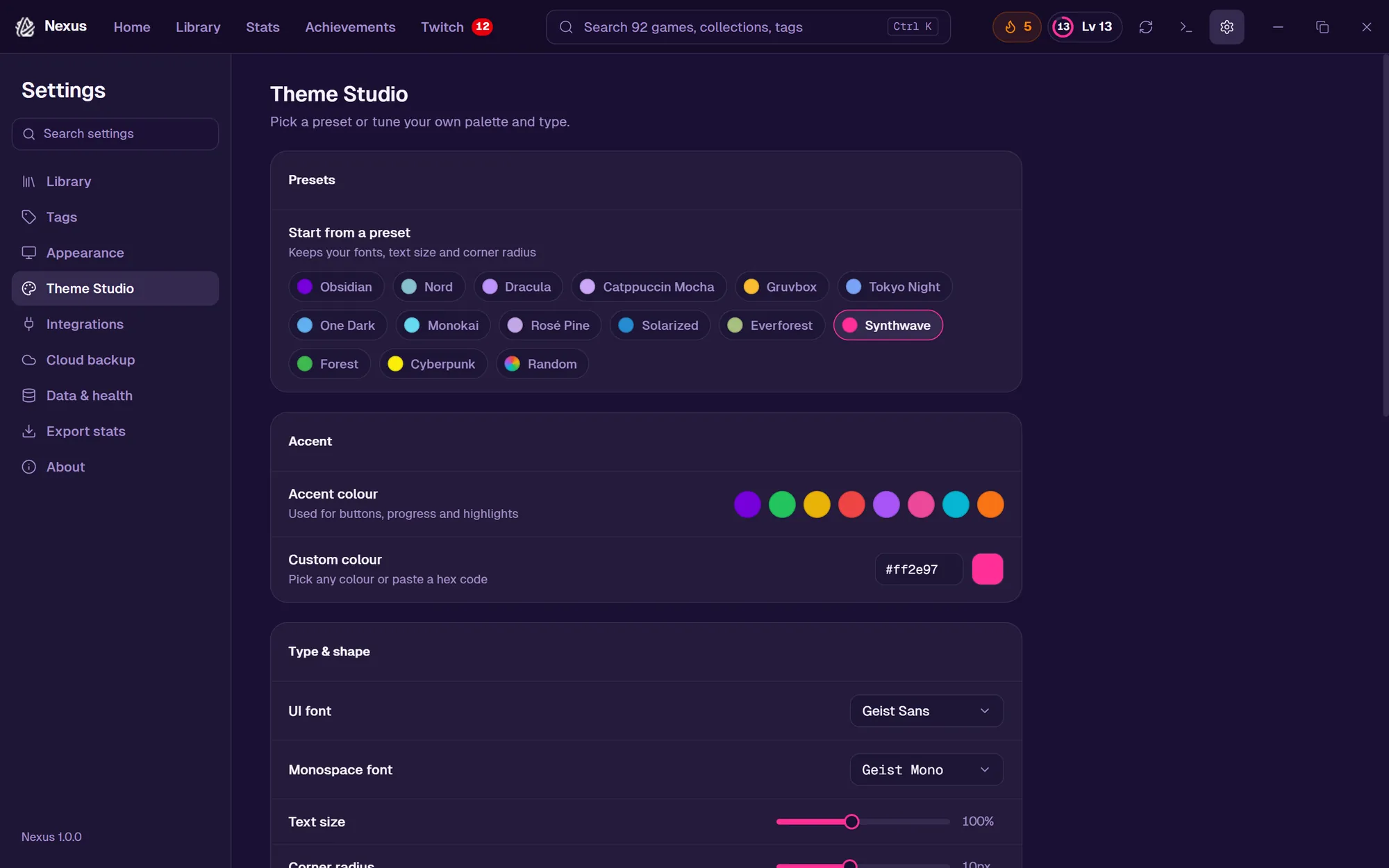
Customisable Accent colours, grid density, card styles, and display preferences — make Nexus yours.

Get Started

Nexus is free, open, and actively developed. Download the latest version or check the changelog to see what's new.

v0.2.0 — Beta
No account or sign-up required
Local-first — optional Google Drive backup
Under 10 MB — installs in seconds
Works offline, no internet needed

See Nexus in action

The Obsidian theme puts your game artwork front and centre.

Nexus library grid view showing game covers from multiple sources
Library — Grid View
Nexus game detail overlay showing Eriksholm with play stats, description, and trailer
Game Detail Overlay
Nexus Twitch integration showing trending games, live streams, and viewer counts
Twitch — Live Streams & Drops
Nexus play time dashboard showing total hours, activity chart, heatmap, and top games
Play Time Dashboard
Random Game Selector
Nexus settings panel showing appearance, accent colors, API keys, and Twitch integration
Comprehensive Settings
v0.2.0 — Beta Access

Ready to unify your library?

Download Nexus for free. No account required. Local-first with optional cloud backup.

Windows 10 / 11  ·  x64  ·  ~10 MB