 Nexus
Nexus
Nexus 1.0
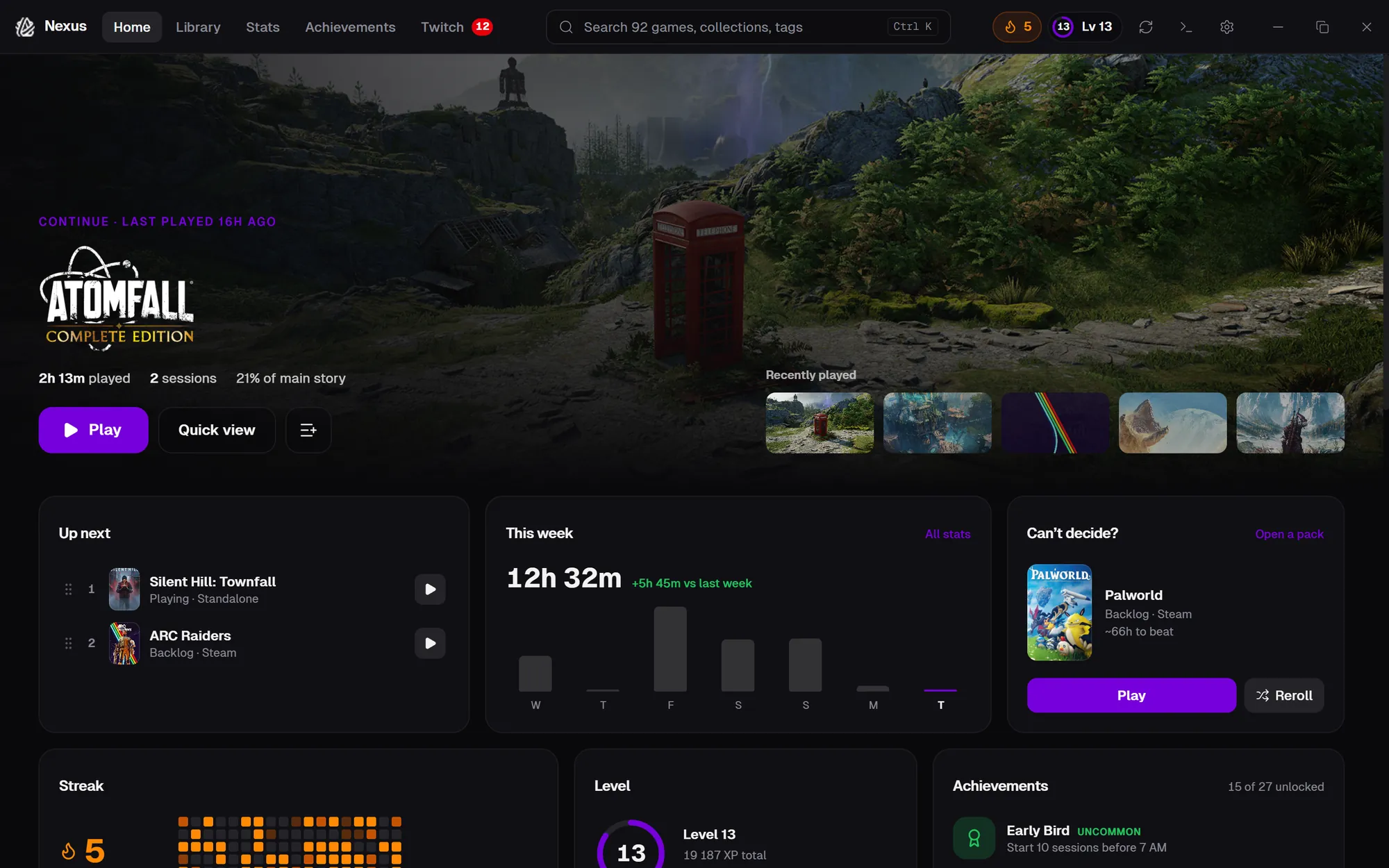
The whole app is rebuilt around a new layout: a top bar replaces the sidebar, Home becomes a dashboard that spotlights what to play next, and every page — Library, the game page, Stats, Achievements, Twitch and Settings — has been redesigned. Retro mode is unchanged and still one click away, and the classic layout is a switch away in Settings.
New
- New layout — A top bar with search, your streak and level, a Now Playing strip while a game runs, and a quick-view drawer that slides in beside the library.
- Home — A spotlight on what you're playing (or the best game you haven't started), plus Up next, your week, streak, level, achievements, who's live, and shelves like Finish in a weekend and Critics' favourites.
- Game page — A full page with a ratings scorecard, How Long to Beat, screenshots, similar games and Twitch.
- Open a pack — “What should I play?” now rips open a pack and flips over a card with your next game.
- Wrapped — Now a story you step through, with animated stats and optional autoplay.
- Get started — A checklist and library overview for new libraries, and a proper welcome when the library is empty.
- Sync progress everywhere — Artwork and metadata fetching shows under the top bar on every page.
Improved
- Stats — Side-by-side cards, comparisons with the previous period, a new activity chart, a streak heatmap and mastery tiers.
- Achievements — Progress towards locked achievements, an Almost there row, and rarity filters.
- Twitch — A following list, a featured stream, game filters, and channel pages with more live streams and top clips.
- Settings — A full page with search; every section rebuilt, with a confirmation before anything destructive.
- Onboarding — A cleaner step-by-step setup.
- Smoother dialogs — No more flicker behind pop-ups.
Fixed
- API keys — SteamGridDB and IGDB keys can be added in Settings again.
- Import library — Importing a library export works again.
- Re-scan — Re-scanning no longer drops games found in your own folders.
- Settings that didn't stick — Animations and window transparency now survive a restart.
- Late-night sessions — Sessions near midnight count on the right day in Stats.